Top Benefits of MT5 Web Terminal for Forex Trading in South Africa

Imagine executing Forex trades with lightning speed from any device, without downloads or high costs-right from South Africa.
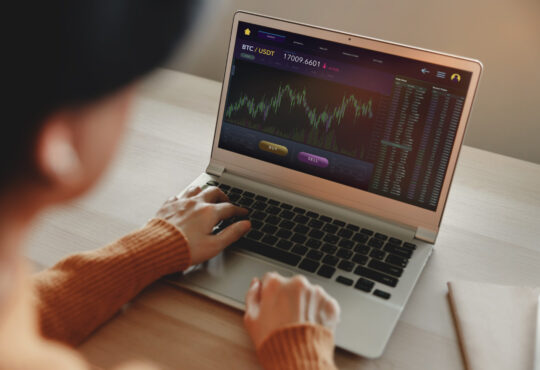
The MT5 Web Terminal revolutionizes trading for local enthusiasts, offering seamless accessibility, advanced charting with 80+ indicators and 21 timeframes, low data usage, regulatory compliance, and 24/7 market access.
Discover how these top benefits can elevate your strategy.
Accessibility Anywhere
MT5 Web Terminal eliminates installation barriers, providing seamless access across Windows, Mac, Linux, tablets, and smartphones through any HTML5 browser. This web-based trading option suits South African traders dealing with load shedding or shared computers. You stay connected to Forex trading without software hassles.
During power outages, switch devices effortlessly to keep monitoring USDZAR pairs or open positions. The platform runs on any stable internet, bypassing desktop dependencies. FSCA-regulated brokers integrate it for reliable access.
South African traders in Cape Town or Johannesburg value this for 24/5 trading. No need for high-end hardware, just a browser. It supports multi-asset trading like gold CFDs alongside currency pairs.
Experts recommend bookmarking the login for quick returns. This ensures instant access even on public Wi-Fi. Real-time charts and EAs work smoothly across setups.
No Downloads Required
Access MT5 instantly by logging into your FSCA-regulated broker’s website – no 150MB download or admin permissions needed. This no download required feature saves time compared to desktop installs. Set up in seconds for browser trading.
Follow these steps for quick entry:
- Visit your broker’s MT5 login page.
- Enter account credentials securely.
- Enable SSL by checking the padlock icon.
- Bookmark the page for two-click access next time.
The entire process takes under a minute, unlike the fifteen minutes for desktop setup. Use Chrome or Edge for optimal speed in South Africa Forex trading. Enjoy low latency execution without local files.
This suits traders facing load shedding, as no software corrupts during outages. Manage pending orders, stop loss, and take profit directly online. Test with a demo account first for confidence.
Multi-Device Compatibility
Trade USDZAR from Johannesburg office Chrome desktop, switch to iPad Safari during commute, then Android Chrome mobile – same charts and EAs sync instantly. Cross-device compatibility defines MT5 Web Terminal advantages. Positions and technical indicators update in real time.
A Cape Town trader syncs fifteen open positions across three devices daily. Responsive design handles multiple timeframes and advanced charting tools seamlessly. Switch without losing trend analysis or support resistance levels.
| Browser | Feature Support |
| Chrome | Best performance |
| Firefox | Strong compatibility |
| Safari iOS | Good mobile support |
| Edge | High reliability |
Device support includes full desktop features, near-complete on tablets, and essentials on smartphones. Breakpoints at wide screens, tablets, and mobiles ensure mobile responsiveness. Use for scalping or hedging on the go.
Integrate Expert Advisors and backtesting across devices. South African traders benefit from ZAR pairs volatility during SARB announcements. Secure SSL keeps data safe on all platforms.
Lightning-Fast Execution
MT5 Web achieves 25-50ms execution speeds via WebSocket connections, matching desktop performance for scalping EURZAR during SARB announcements. This web-based trading setup replaces traditional HTTP polling with WebSocket technology. It delivers updates up to 100 times faster for South African traders.
Low latency execution means 1ms tick updates and tight spreads like 0.1 pips on ECN brokers. South African traders benefit from fast order execution on Rand pairs such as USDZAR. This setup supports scalping and news trading without delays.
Local brokers like Exness offer 0.1s fills, while FBS provides STP confirmed execution. Browser trading ensures instant access with no download required. Cross-device compatibility keeps performance steady on Chrome or Firefox during volatile JSE sessions.
| Platform | Average Execution Time |
| Web MT5 | 28ms |
| MT4 Web | 85ms |
| cTrader Web | 42ms |
Execution stats from Myfxbook in 2023 highlight MT5 Web Terminal’s edge for FSCA regulated brokers. Traders in Johannesburg or Cape Town can rely on this for real-time charts and one-click trading. It minimizes slippage on high-frequency ZAR trading.
Advanced Charting Tools
Professional-grade charting with 80+ indicators and 21 timeframes supports GBPZAR trend analysis and gold scalping without desktop lag. The MT5 Web Terminal delivers desktop-quality analysis directly in your browser. This proves essential for South Africa volatility trading on Rand pairs like USDZAR.
Traders access real-time charts with no download required. Enjoy cross-device compatibility across Chrome, Firefox, or Edge. Switch seamlessly between devices during JSE overlap sessions.
Use advanced charting tools for multi-asset trading, including Forex, gold, and oil CFDs. FSCA-regulated brokers integrate smoothly for low latency execution. Analyze support resistance levels on exotic pairs effortlessly.
Customize interfaces for scalping allowed strategies. Set price alerts and pending orders directly on charts. This browser trading setup suits Johannesburg Forex traders handling SARB policy impacts.
80+ Technical Indicators
Apply Alligator, ATR, Bollinger Bands, Ichimoku, and 76 others instantly. Customize with MQL5 for ZAR pair volatility filters. The MT5 Web Terminal loads these tools without lag on mid-range devices.
| Indicator Category | Count |
| Trend | 21 |
| Oscillators | 28 |
| Bill Williams | 12 |
| Custom | 19 |
Spot SARB reversals with RSI(14) on USDZAR H1 charts. Confirm oil CFD breakouts using MACD crossovers. These technical indicators aid precise entries during high volatility.
Upload custom indicators in three steps: download from MQL5 community, save as.ex5 file, then drag to the terminal. Test on demo accounts first for Rand pairs. This process supports algorithmic trading without software installs.
Rendering hits smooth performance on browsers during Cape Town trading hours. Combine with Expert Advisors for automated setups. Durban markets traders benefit from instant access to these Forex benefits.
21 Timeframes
Switch between M1 to MN1 plus tick charts and Renko for multi-timeframe USDZAR analysis during JSE overlap sessions. The MT5 Web Terminal offers all 21 timeframes in one place. No desktop needed for online trading platform flexibility.
- M1, M2, M3, M4, M5, M6, M10, M12, M15, M20, M30
- H1, H2, H3, H4, H6, H8, H12
- D1, W1, MN1
Build strategies with H4 trends and M15 entries on GBPZAR. Use during London open for M5 GBPZAR scalps. This aligns with South African traders’ 24/5 schedules.
Compare chart types: standard for full detail, Renko for noise-free trends, tick for scalping precision. Apply to EURZAR amid CPI data releases. Renko charts help filter weekend gaps on commodities.
Pretoria traders analyze volatility index across timeframes. Set stop loss and take profit based on multi-TF views. Enjoy instant access via HTML5 for tablet or smartphone during power outages workaround.
Cost-Effective for South Africans
Zero software costs and 70% lower data usage than desktop MT5 saves R180/month for typical Johannesburg traders. This makes the MT5 Web Terminal ideal for South African Forex traders facing high mobile data costs and frequent load shedding. Access your web-based trading platform directly in any browser without downloads.
During power outages, the browser trading option lets you trade from mobile hotspots seamlessly. South Africans benefit from FSCA regulated brokers offering free MT5 Web with ZAR accounts. This setup supports real-time charts and Expert Advisors without extra expenses.
Traders in Cape Town or Durban save on mobile data bundles while enjoying low latency execution. Pair it with offline chart exports to Excel for analysis during blackouts. Overall, it cuts costs for currency pairs like USDZAR and EURZAR trading.
Experts recommend this for beginner friendly platforms with demo accounts. Switch between devices easily for cross-device compatibility. Secure your trades with SSL encryption and focus on risk management.
Low Data Usage
MT5 Web uses 25KB/minute vs desktop’s 85KB/minute. Run 8 hours daily on a 2GB Vodacom data bundle for R29. This low data usage suits South African traders with expensive mobile plans.
| Activity | Data per Minute |
| Live quotes | 15KB/min |
| 4 charts | 22KB/min |
| EA running | 28KB/min |
During load shedding, export offline charts to Excel for review. Compare MT5 Web at 25KB to TradingView’s 42KB or desktop’s 85KB per minute. Cape Town mobile traders save around R150/month on data.
Use advanced charting tools and technical indicators without draining bundles. Set price alerts for USDZAR volatility. This supports scalping allowed and one-click trading on limited data.
No Software Costs
100% free platform. FSCA brokers like AvaTrade provide free MT5 Web Terminal with ZAR accounts, unlimited demo, and live migration. No download required means instant access for Johannesburg Forex traders.
| Platform | Monthly Cost |
| MT5 Web | R0 |
| Desktop MT5 | R0 |
| cTrader | R0 |
| TradingView Pro | R299 |
| Thinkorswim | R500 setup |
Brokers offer freebies like XM’s VPS for balances over $5k or FBS $100 no-deposit bonus. Total savings reach R3600/year versus paid platforms. Trade Rand pairs and commodities without upfront fees.
Enjoy multi-asset trading including gold and oil CFDs at zero cost. Use strategy tester for backtesting on demo. Pretoria traders appreciate 24/5 trading with no software expenses.
Regulatory Compliance
FSCA License #FSP 49440 brokers ensure client fund segregation and negative balance protection for MT5 Web traders. South African traders using the MT5 Web Terminal benefit from strict oversight by the Financial Sector Conduct Authority. This setup protects funds during volatile Forex sessions.
Verify broker compliance with a simple FSCA checklist. First, check the FSP number on the official registry. Next, confirm client fund segregation in separate accounts. Then, review the negative balance policy to avoid debt risks. Finally, ensure leverage caps align with retail limits like 1:30.
Top FSCA-regulated brokers support seamless web-based trading on MT5. Consider these options for South African accounts:
| Broker | FSP Number | Key MT5 Features |
| HotForex | 49440 | ZAR pairs, low latency execution |
| XM | 46534 | EA support, hedging capabilities |
| FBS | 50859 | One-click trading, scalping allowed |
Experts recommend sticking to these FSCA regulated brokers for MT5 Web Terminal access. They offer secure login with SSL encryption and KYC verification. This compliance builds trust for Johannesburg and Cape Town traders handling USDZAR or EURZAR pairs.
24/7 Market Access
Trade 24/5 from 22:00 SAST Sunday (Sydney open) through 23:00 SAST Friday, with weekend NDF ZAR pairs via FSCA brokers. The MT5 Web Terminal provides instant access to global Forex markets without downloads. South African traders enjoy browser-based trading on any device.
Major sessions align with SAST for convenient monitoring. Use the table below for key market hours to plan your trades effectively.
| Session | SAST Hours |
| Sydney | 22:00-07:00 |
| Tokyo | 00:00-09:00 |
| London | 09:00-18:00 |
| New York | 14:00-23:00 |
Peak volatility hits during the London/NY overlap from 16:00-18:00 SAST. This period suits volatility trading on pairs like USDZAR. MT5’s real-time charts help spot trends quickly.
The built-in economic calendar flags events like CPI on Wednesdays at 16:00 SAST and SARB on Thursdays at 16:00. For news trading, watch EURZAR after ECB announcements at 1:30 SAST. Set price alerts in the web terminal for timely entries.
Frequently Asked Questions
What are the Top Benefits of MT5 Web Terminal for Forex Trading in South Africa?
The Top Benefits of MT5 Web Terminal for Forex Trading in South Africa include instant access without downloads, seamless cross-device compatibility, advanced charting tools tailored for volatile ZAR pairs, and compliance with FSCA regulations, making it ideal for South African traders seeking efficiency and security.
Why is accessibility a top benefit of MT5 Web Terminal for Forex Trading in South Africa?
One of the Top Benefits of MT5 Web Terminal for Forex Trading in South Africa is its browser-based access, allowing traders to log in from any device with an internet connection-perfect for mobile South Africans trading on the go without software installations.
How does MT5 Web Terminal enhance charting for Forex Trading in South Africa?
Among the Top Benefits of MT5 Web Terminal for Forex Trading in South Africa are its 80+ technical indicators and 21 timeframes, enabling precise analysis of USD/ZAR and EUR/ZAR pairs directly in the browser, crucial for navigating local market volatility.
What makes MT5 Web Terminal cost-effective for South African Forex traders?
A key advantage in the Top Benefits of MT5 Web Terminal for Forex Trading in South Africa is zero need for downloads or hardware upgrades, reducing costs for traders using public Wi-Fi or shared devices common in urban areas like Johannesburg and Cape Town.
Is MT5 Web Terminal secure for Forex Trading in South Africa?
Security is central to the Top Benefits of MT5 Web Terminal for Forex Trading in South Africa, featuring 128-bit encryption, two-factor authentication, and integration with FSCA-regulated brokers, protecting sensitive trading data amid rising cyber threats.
How does MT5 Web Terminal support multi-asset trading for South Africans?
The Top Benefits of MT5 Web Terminal for Forex Trading in South Africa extend to its support for Forex, CFDs, stocks, and commodities in one platform, allowing diversified portfolios including gold and indices, vital for hedging against Rand fluctuations.